Take micro pauses
Workrave is a free repetitive strain injury relief software. It is intended to prevent computer users from developing an RSI such as carpal tunnel syndrome or myopia. The program will automatically lock the screen while showing its mascot - Miss Workrave - that will provide stretching exercises, remind you to take a break, or even step away from your computer for a bit. If you’re looking for an affordable standing desk alternative, maybe Workrave is for you.
Top Recommended Alternative
What is Workrave software?
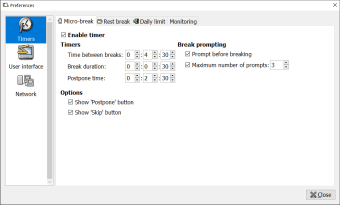
Workrave is productivity software designed to encourage users to take breaks, recharge, and be more efficient. The program offers a short and a long break. Short breaks or coffee breaks last only 5 minutes while long breaks are four 15 minute breaks. Of course, everyone’s day is different so Workrave allows you to set your breaks from its preference menu.
For example, you take a 5-minute break every 25 minutes. Otherwise called the Pomodoro Technique, you can apply this time management method - or any method you prefer - to the program. What’s essential is that you make the most out of your breaks. You can always leave your workstation to refill your coffee, have a meal, etc.
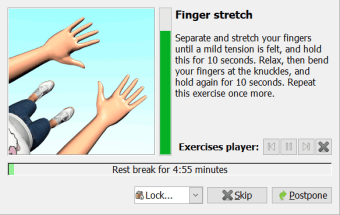
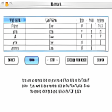
If you’re undecided about what to do, Workrave offers a demo of exercises that will help you feel more relaxed and awake. They’re all light stretches that are demonstrated by an avatar. It will guide you through the entire workout, showing you the number of sets and repetitions you need to complete to feel the effects of the exercises.
How does Workrave work?
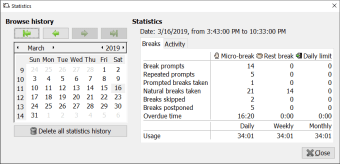
Why use Workrave to time your productivity and your breaks? Workrave works more than just a timer. It analyzes the time you spend interacting with your computer and reminds you if you’ve been working too long. This feature is separate from the timer because it is decided by the program. The catch is that Workrave bases your productivity on your keystrokes and mouse movement.
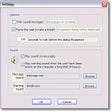
This means it counts reading and video conference as breaks instead of productivity. A remedy for this is to have Reading mode enabled. This will make Workrave’s timer continue to countdown even if you’re not typing or clicking. Once the clock reaches zero, the pop-up window will appear to let you know it's time for your break. There’s always an option to postpone a break if needed.
It will pop up, reminding you to take a break. Simply select Skip, and the time will start over at the amount of time you’ve dedicated to working. Let’s say you follow the 5217 method (take a 17-minute break every 52 minutes). If you decide to skip your break, you’ll be working for another 52 minutes. To apply stricter break times, you can disable Skip Break in the settings.
Your productivity partner
During a time when a majority of users are working from home, productivity is at an all-time high but so is burnout. Programs like Workrave will help you get into the habit of taking breaks and being more productive during your work hours. You can set your own timer, or have the program decide for you. The program also includes an exercise guide and push notifications so you’ll always keep your break in mind.
Changes
Contains many new translations